
SkyBay™ Hanging Golf Simulator Enclosure - No Vertical Pole
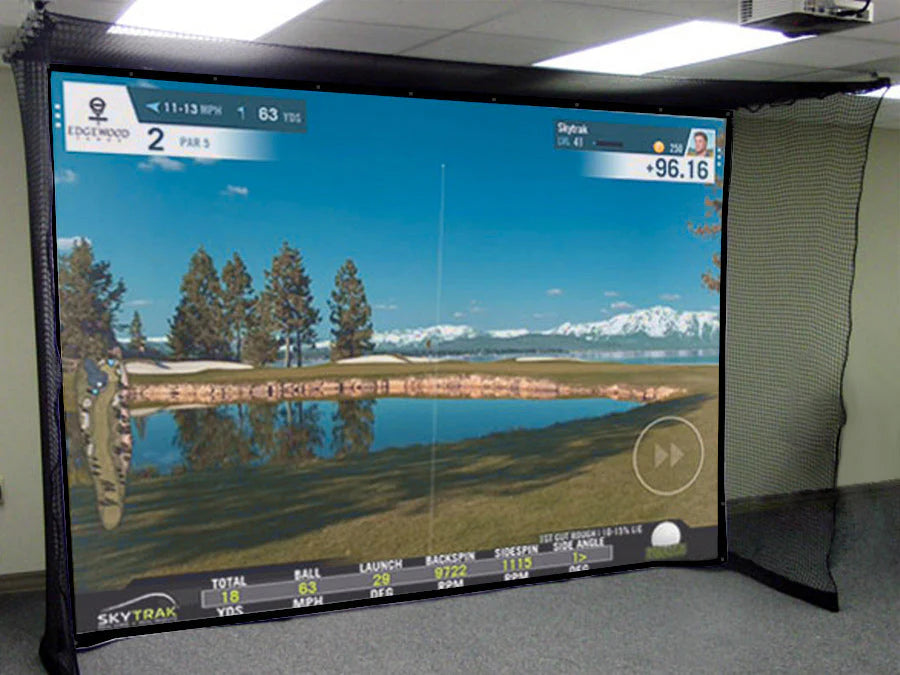
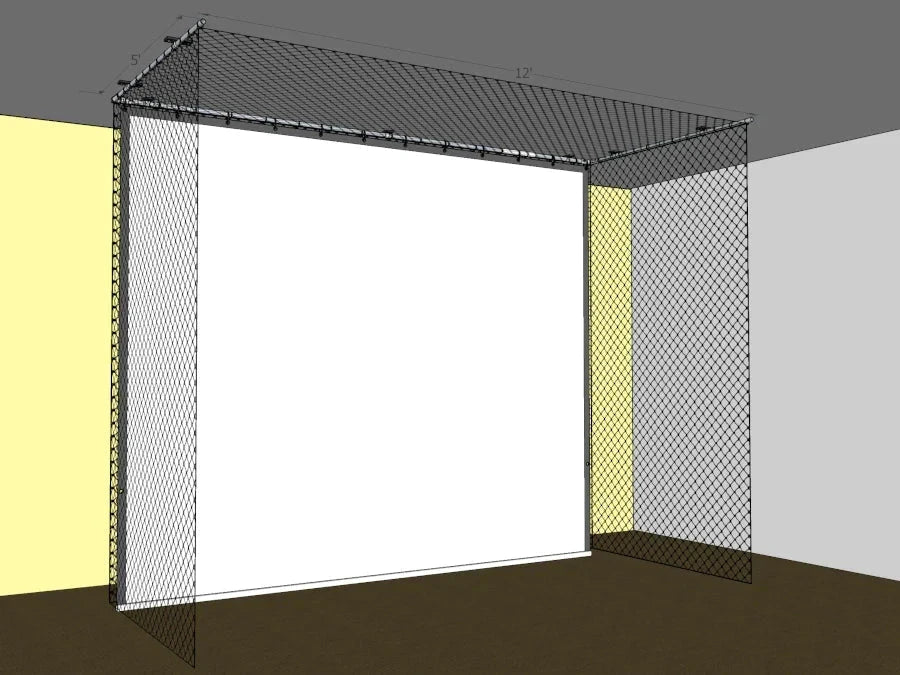
The AllSportSystems SkyBay™ Hanging is a ceiling-mounted indoor golf simulator enclosure designed for home and commercial use. Unlike traditional enclosures, the SkyBay™ requires no vertical poles or cage frame — the system suspends entirely from the ceiling using custom ceiling brackets and EMT conduit poles. A large wrap-around netting system catches shots on both sides and behind the screen, and weighted chain pockets run the full perimeter of the netting bottom to keep everything taut and in place. The impact screen is rated for real golf balls and is compatible with any golf simulator software and projector. A minimum clearance of 24 inches between the enclosure and the rear wall is recommended. Custom sizes are available, and setup takes approximately 3 hours.
Note: EMT poles are not included and must be purchased locally from a hardware or home improvement store. A cutting chart is included in the installation guide.
Features
- Ceiling-mounted design requires no vertical poles or floor-standing cage frame
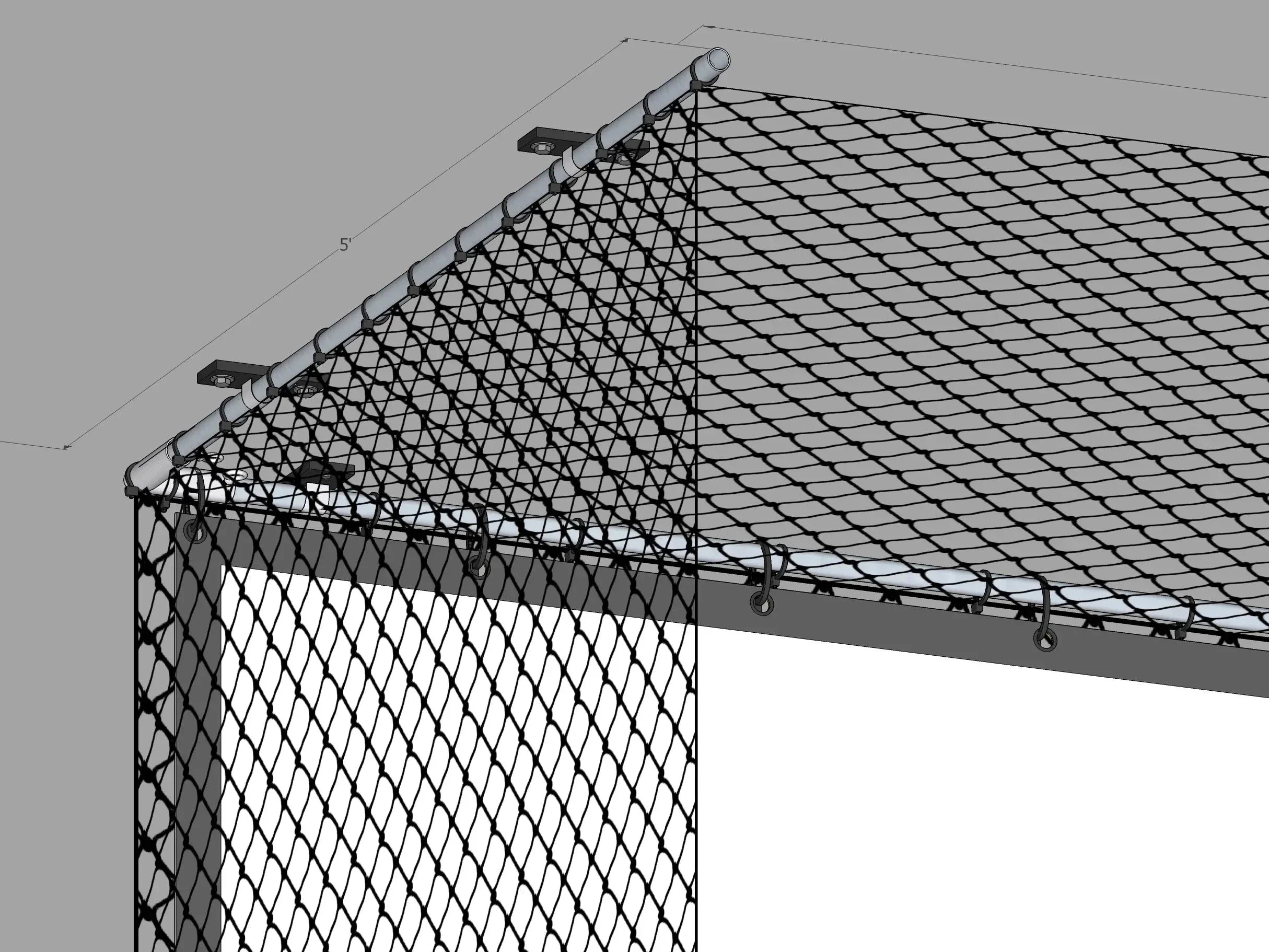
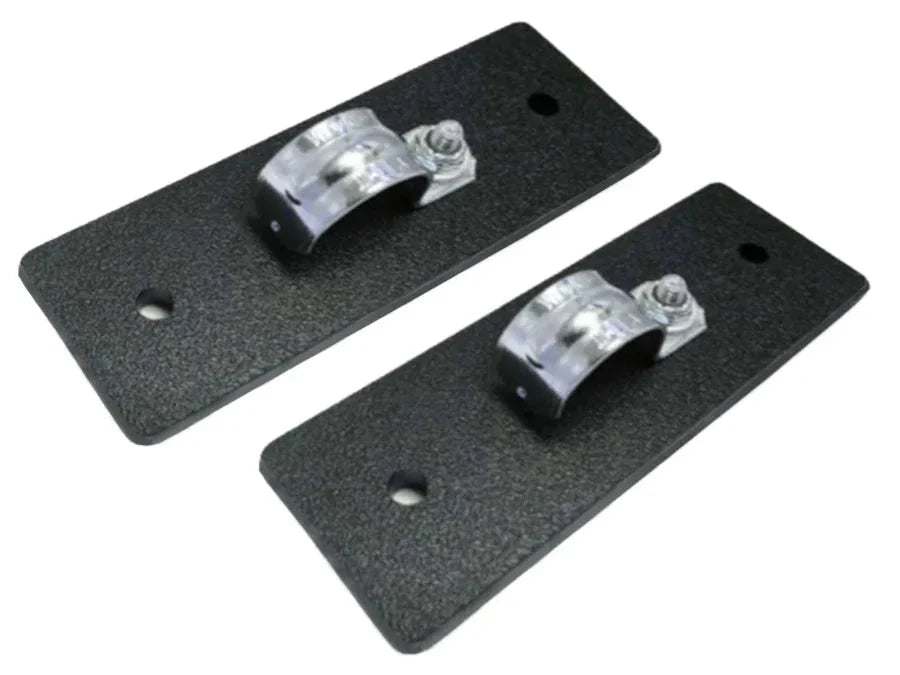
- Custom ceiling bracket kit suspends all poles flush to the ceiling — poles hang approximately 1" to 1.5" below the ceiling surface
- Large wrap-around netting covers both sides and the rear of the enclosure to catch stray shots
- Weighted chain pocket system runs the full perimeter of the netting bottom, anchoring the netting, screen, and enclosure in place
- Impact screen rated for real golf balls; compatible with any golf simulator software and projector
- Screen height is designed to be approximately 2" shorter than ceiling height so it hangs even with the floor without dragging
- Three screen fabric options available: Standard (durable, budget-friendly), Premium (approximately 50% brighter image), and Elite (multilayer foam core — recommended for HD and 4K projectors, reduces impact noise)
- Screen can be washed on a gentle cycle with mild detergent — do not use bleach or place in dryer
- Inline coupler included for enclosures wider than 10 feet
- Compatible with optional ShotDefender™ upgrade for additional ball deflection in front of the screen
- Minimum 24" clearance from side and rear walls recommended
- Custom sizing available
- Approximately 3-hour setup time
What's Included
Structural Components:
- 6x Ceiling Brackets (support 3 poles in a U-shape configuration)
- 2x L-Corner Brackets
- 1x Inline Coupler (for enclosures wider than 10 feet only)
- Toggle bolts and lag screws for ceiling bracket attachment
Fabric & Netting:
- 1x Impact Screen (sized approximately 2" shorter than ceiling height)
- 1x Golf Netting (made to width of screen, standard 9' tall × 5' deep; custom depth available)
- 4x Chain Pockets (black Velcro-attached sleeves that hold chain along the netting perimeter)
Additional Hardware:
- Cable Ties
Optional Upgrade (sold separately):
- ShotDefender™ cable and black valance/pocket
Poles are not included. They must be purchased locally as 1" common EMT conduit (actual outside diameter 1-3/16" / 30.16 mm). A pole cutting chart is included in the installation guide.
Chain is not included and must be purchased locally. Required lengths vary by bay size:
- 10' wide (5' deep): 20 feet of ⅜" chain
- 12' wide (5' deep): 22 feet of ⅜" chain
- 14' wide (5' deep): 24 feet of ⅜" chain
- 16' wide (5' deep): 26 feet of ⅜" chain
Specifications
| Bay Size | Height | Width | Depth |
|---|---|---|---|
| Standard | Ceiling height minus ~2" | 10 ft | 5 ft |
| Standard | Ceiling height minus ~2" | 12 ft | 5 ft |
| Standard | Ceiling height minus ~2" | 14 ft | 5 ft |
| Standard | Ceiling height minus ~2" | 16 ft | 5 ft |
| Custom | Available upon request |
- Frame Compatibility: 1" common EMT conduit (outside diameter 1-3/16" / 30.16 mm)
- Netting: Standard 9' tall × 5' deep; custom depth available up to 8'
- Poles: Sold separately — purchase
- locally Chain: Sold separately — ⅜" chain for netting pockets; ⅜" chain for optional screen pocket
- Minimum Wall Clearance: 24" from side and rear walls recommended Estimated
- Setup Time: ~3 hours
Documentation
Choose options